Manobela won first place at the TrackTech Hackathon 2026! 1
Manobela is a real-time driver monitoring system that detects unsafe driving behaviors using only your phone camera.
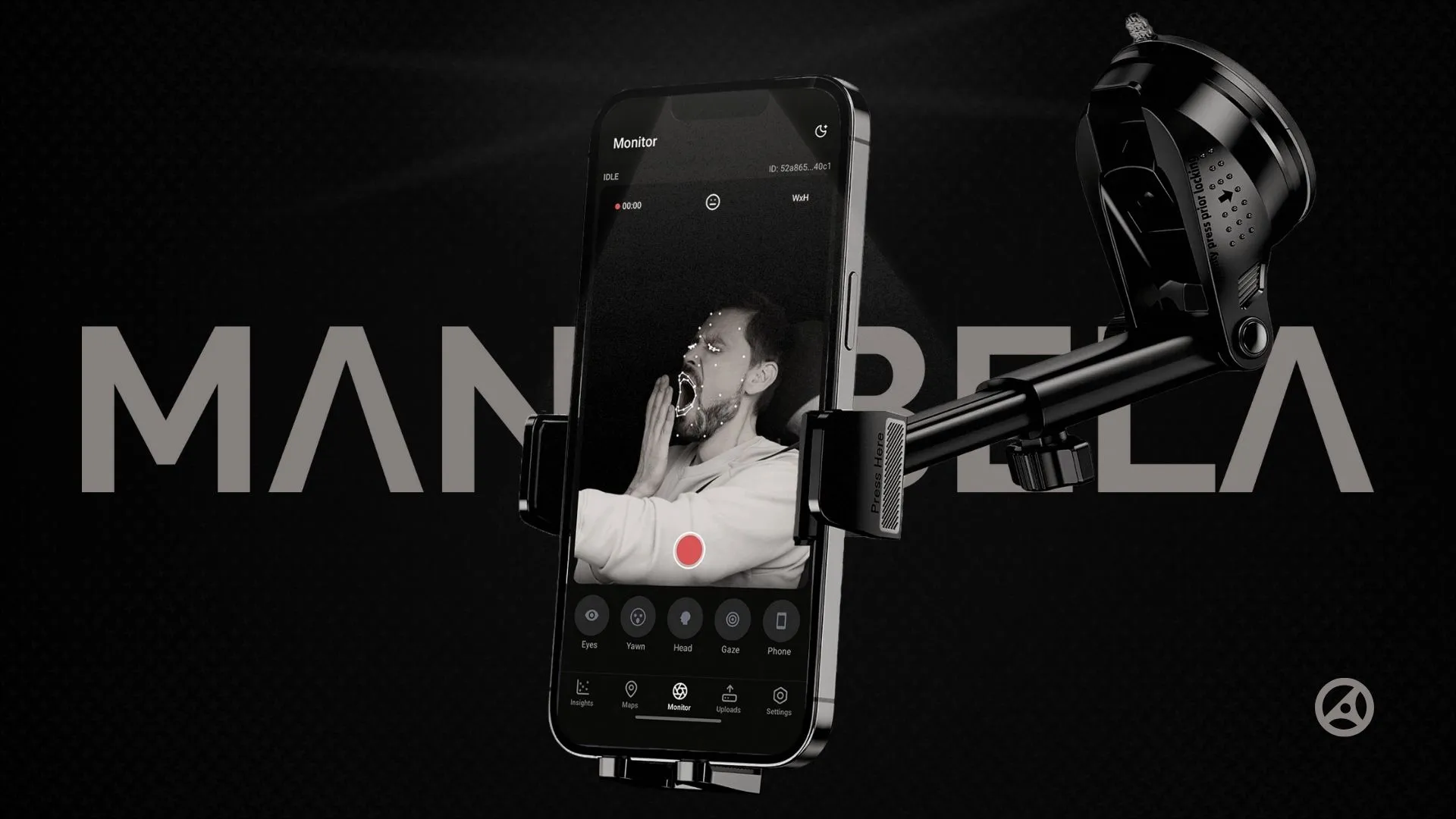
You can 
Why we built it
Road crashes are preventable, not inevitable
In the Philippines, an average of 32 people die every day from road accidents. Most of these crashes (around 87%) are caused by unsafe driver behavior like drowsiness, distraction, or phone use.
The problem isn’t just local. Globally, about 1.3 million people die from traffic accidents each year, with human error behind roughly 94% of crashes. Existing solutions like Tesla’s in-cabin monitoring or fleet dashcams require either buying a new car or installing expensive hardware.
We built Manobela to make driver safety accessible to anyone with a smartphone. The goal was simple: prevent accidents by catching dangerous behaviors in real time, before they lead to crashes.
How it turned out
Real-time monitoring
The app uses your phone’s front camera to track your face while driving.
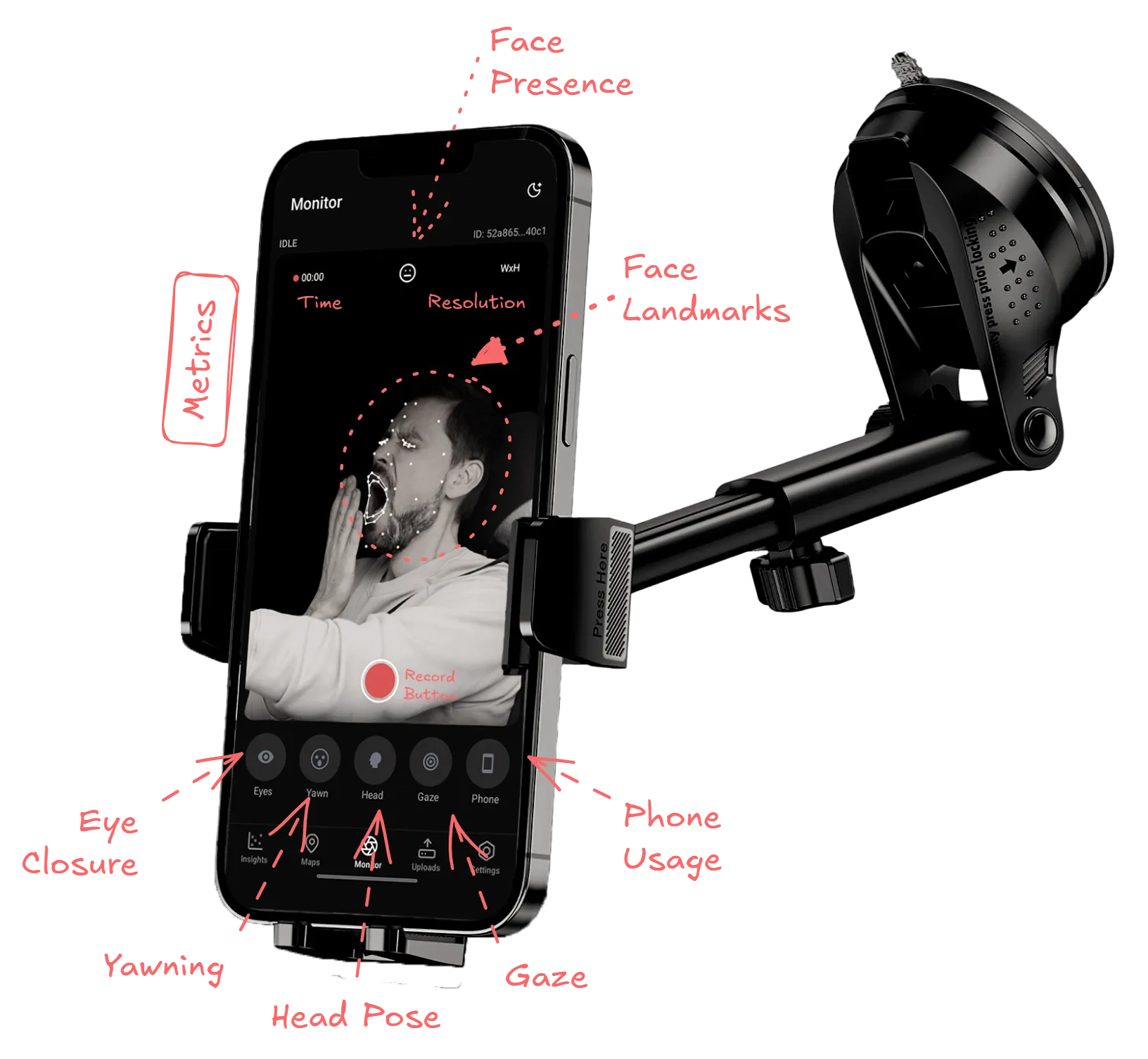
It watches for:
- Eye closure
- Yawning
- Head position (looking away from the road)
- Gaze direction (eyes off the road)
- Phone use (distraction)
When it detects something unsafe, it alerts you immediately. The idea is to snap you back to attention before something bad happens.
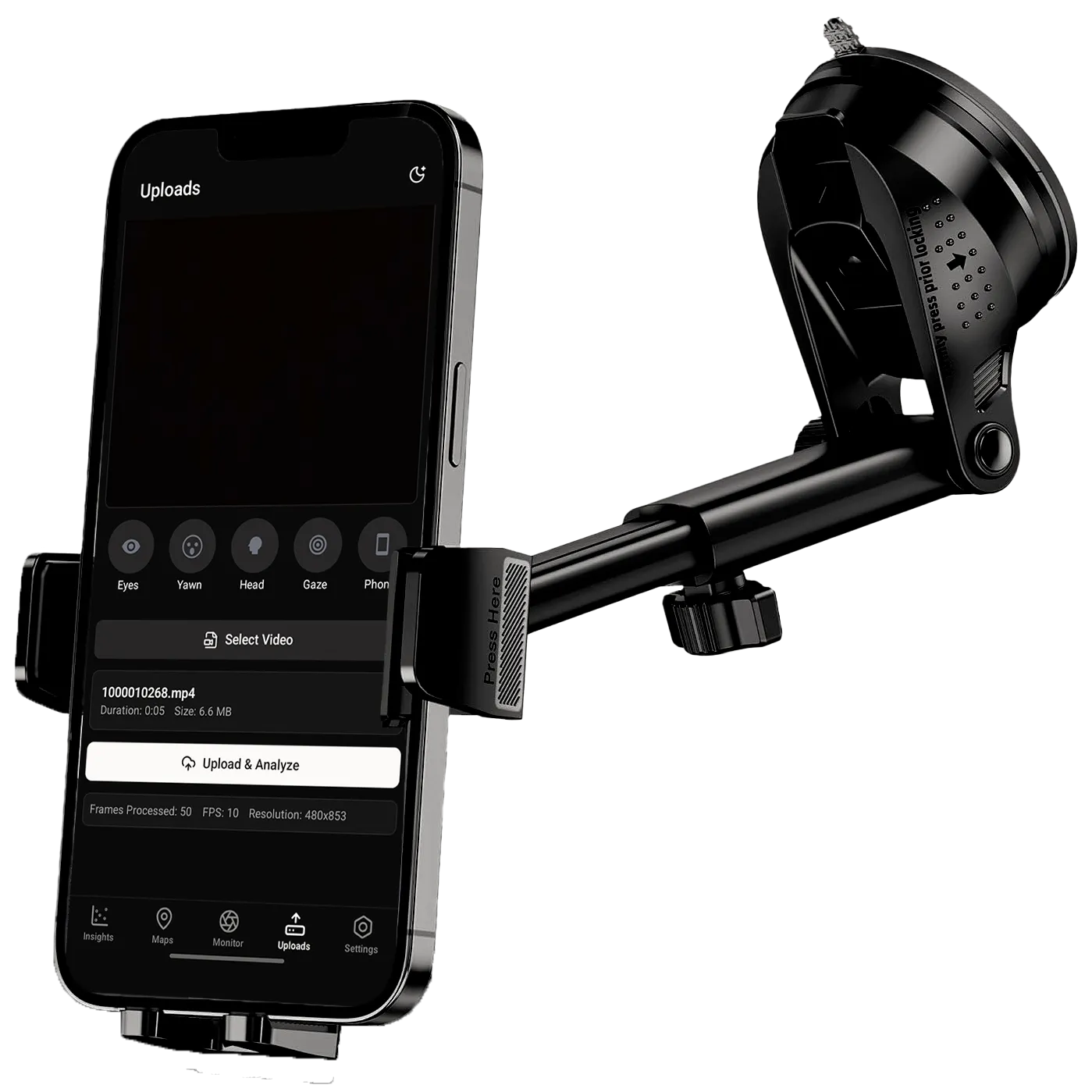
Video uploads
Beyond live monitoring, you can upload recorded driving video files for post-trip analysis.
Insights dashboard
The app logs every monitoring session locally.
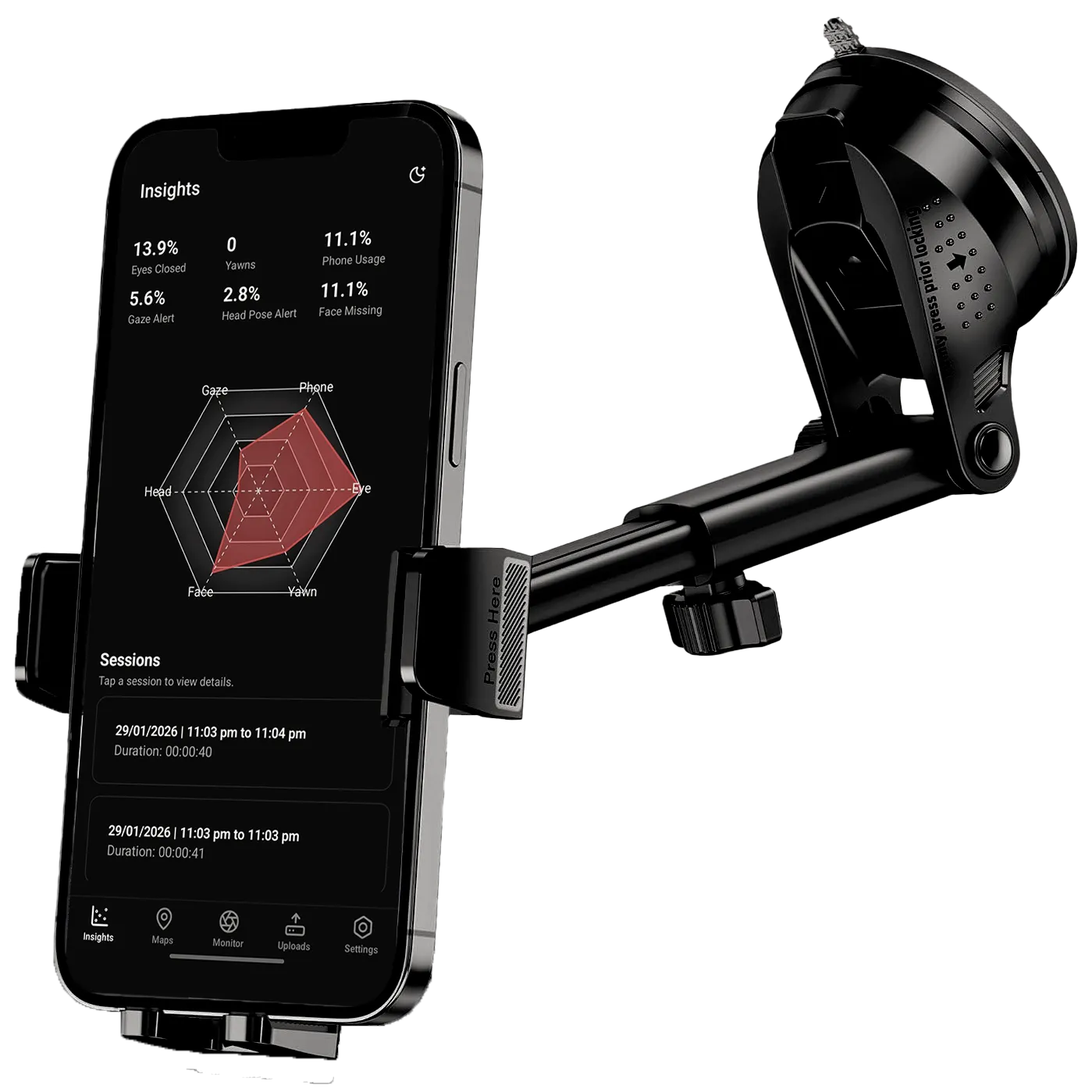
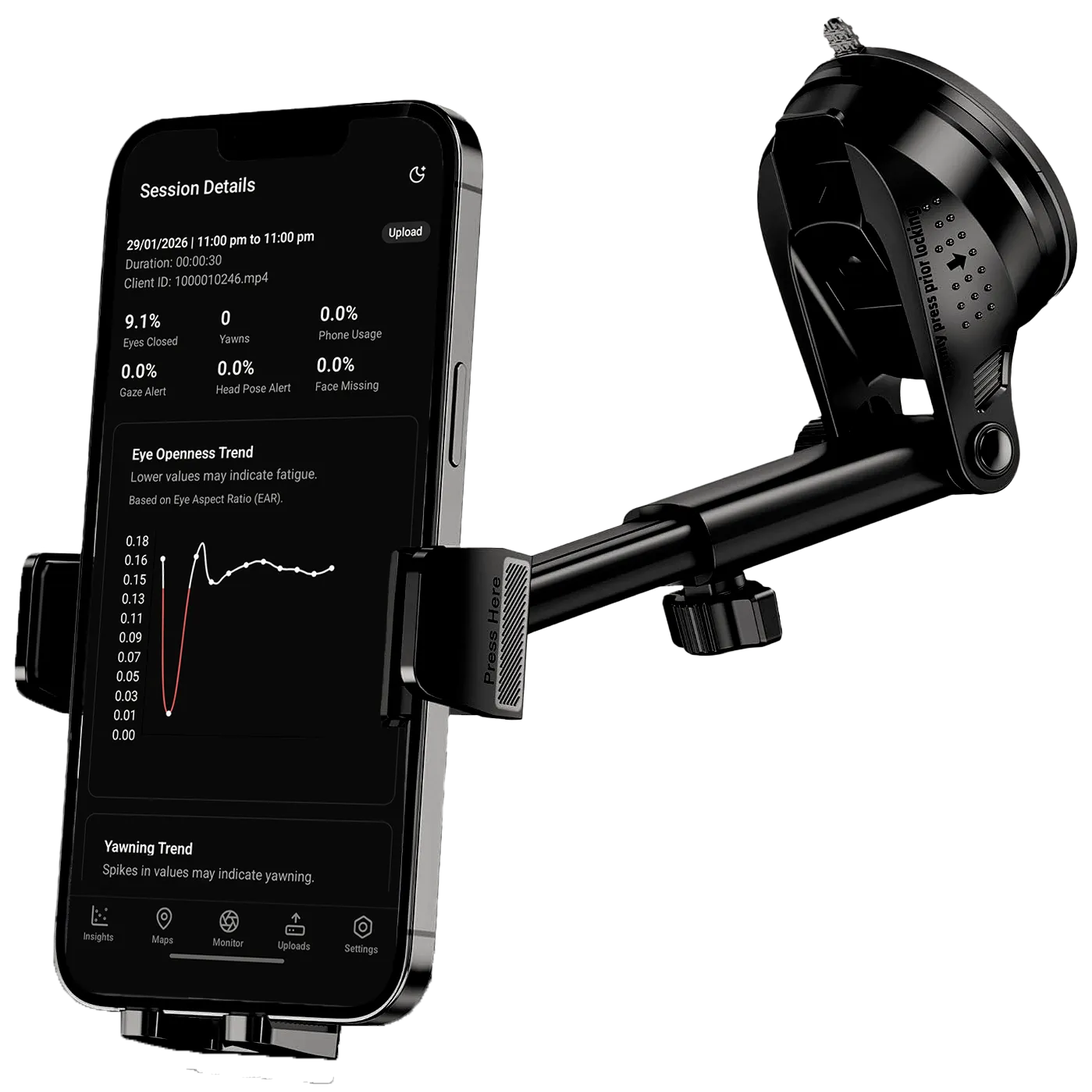
- KPI cards and a radar chart visualizing your risk profile across different behaviors
- Session history with detailed charts and timelines
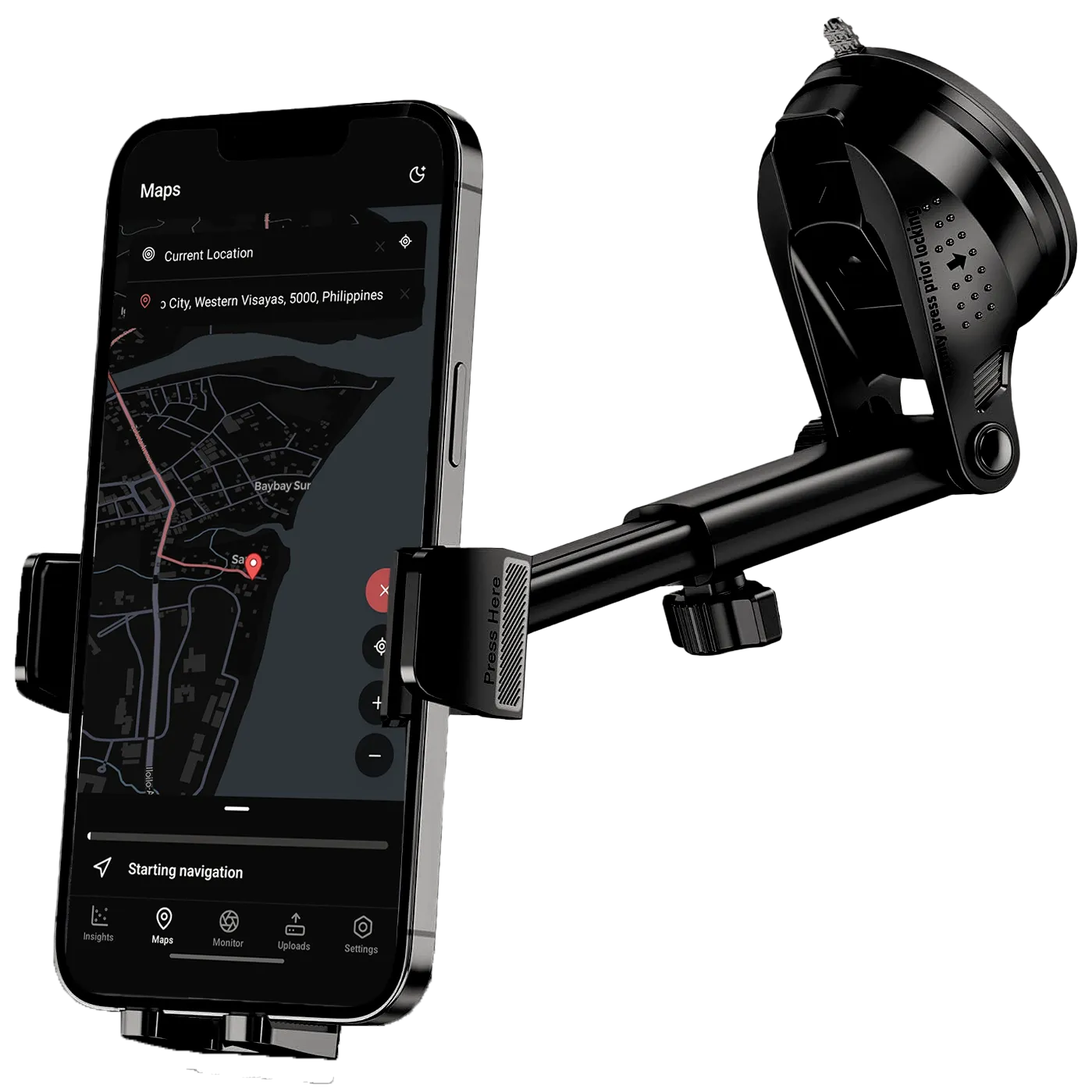
Built-in navigation
We integrated OpenStreetMap with turn-by-turn directions. When you start navigating, the app can automatically start monitoring. When you arrive, it stops. Each session gets linked to a route, so you can see which trips were riskier.
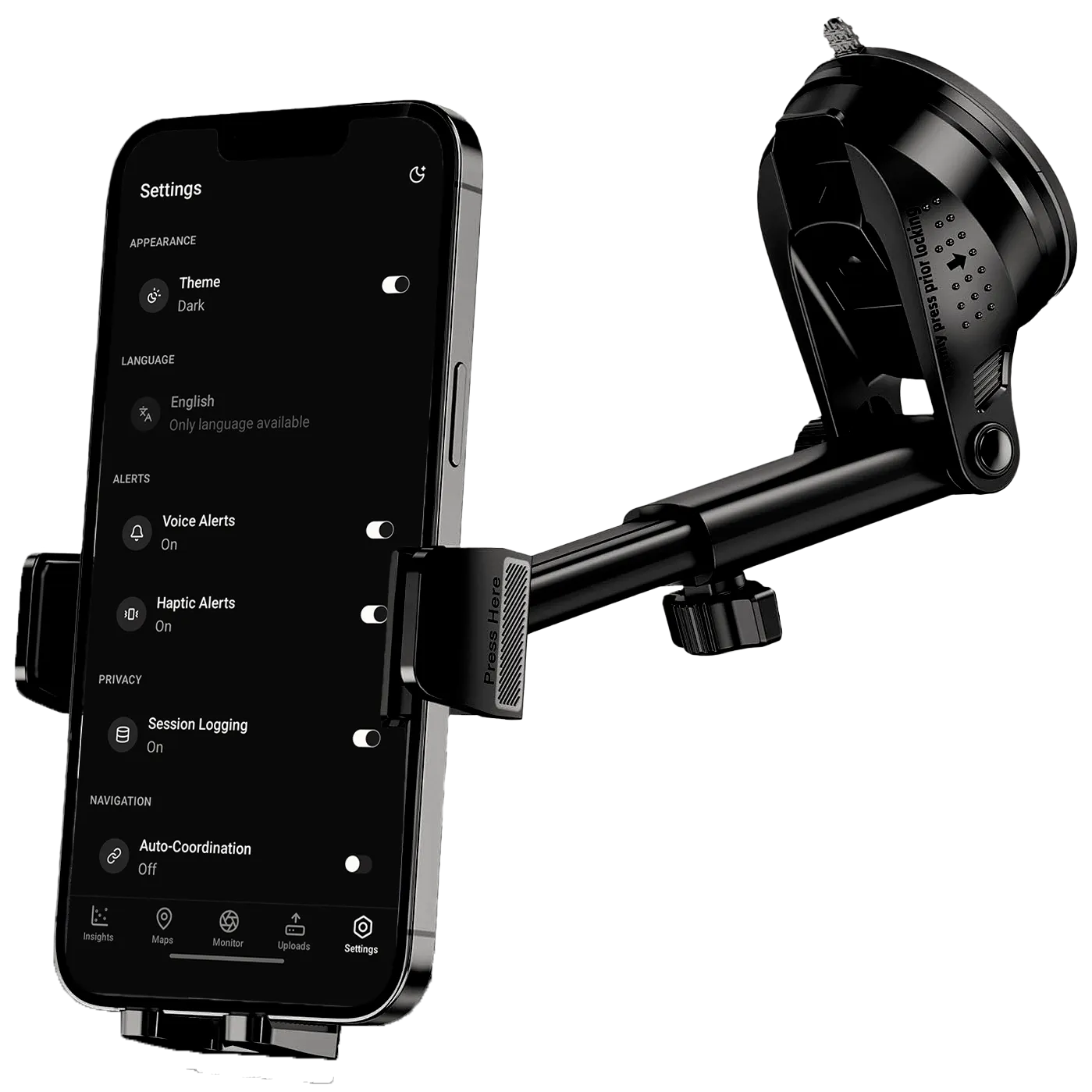
Configuration
Users can configure the app settings such as toggling alerts, session logging, and settings API URLs for self-hosting.
How we built it
You can learn more about the technical side of things in the docs.
Technologies we used
| Backend | Python, FastAPI |
| Mobile App | TypeScript, React Native, Expo, Drizzle ORM, TailwindCSS |
| Computer Vision | OpenCV, MediaPipe, YOLOv8, ONNX Runtime |
| Real-time | WebRTC, WebSockets |
| Website | Next.js |
| Deployment | Docker, Azure App Service, Vercel, Expo EAS |
Architecture
Getting real-time video analysis working on a phone meant solving some interesting problems. We ended up with a client-server architecture using WebRTC.
Backend (FastAPI)
- Receives video stream from the phone
- Runs MediaPipe for face landmark detection
- Runs YOLOv8 for object detection (phone, etc.)
- Computes metrics
- Sends alerts and inference data back over a WebRTC data channel
Mobile app (Expo)
- Captures camera feed
- Streams to backend via WebRTC
- Receives metrics
- Renders overlays in real time
- Handles alerts (speech, haptics, visual)
- Logs sessions to local database
The WebRTC connection keeps latency low enough for real-time feedback. All video processing happens server-side, which keeps the app lightweight and battery-friendly.
Calculating Metrics
Eye closure detection: We calculate the Eye Aspect Ratio (EAR) for both eyes using landmark positions. When EAR drops below a threshold for a sustained period, it triggers a drowsiness alert. We also compute PERCLOS (percentage of eyelid closure), which averages eye closure over the last couple seconds.
Yawn detection: Similar approach with Mouth Aspect Ratio (MAR). When MAR exceeds a threshold, it counts as a yawn.
Head pose: Looking too far left/right (yaw), up/down (pitch), or tilting your head (roll) triggers alerts. The system establishes a baseline over the first second of monitoring, then tracks deviations.
Gaze tracking: By detecting iris positions relative to the eye, we determine where you’re looking. If your gaze strays too far from center for too long, it alerts you.
Phone detection: YOLOv8 detects class 67 (cell phone) in the video frame. If confidence is high enough and persists, it flags phone usage.
What I learned
This is one of the biggest projects I’ve built and led so far. I learned a lot along the way, from computer vision, mobile development, WebSockets and WebRTC, to working with Azure, as well as the day-to-day realities of building software while leading a team.
Building Manobela taught me how to ship a full-stack mobile app with real-time video processing. It was my first time working with WebRTC, which turned out to be both powerful and tricky.
I also learned that making computer vision reliable is harder than it looks. Lighting changes, different face shapes, and head movements all affect landmark and object detection. We had to add calibration periods, smoothing, debouncing, and hysteresis to make alerts feel responsive but not annoying.
Another challenge was balancing the UX in live monitoring. Alerts has to be invisible when things are fine and urgent when they’re not. Balancing sensitivity (catching real danger) with avoiding false alarms is still an open problem.
The biggest challenge turned out to be making it fast enough for real-time use. Since we put the actual video processing in a separate backend rather than on-device, we had to deal with network latency and server performance. We initially deployed to Render’s free tier which didn’t work well at all. Moving to Azure App Service finally made it fast enough to be usable. Even so, the cloud-based approach still introduces latency that wouldn’t exist with on-device processing. It’s a tradeoff we’re still working on.
Finally, working on a road safety tool for a low-resource context made me think differently about accessibility. The whole point was to build something that works with what people already have—no new car, no dashcam, just a phone.
Footnotes
-
Update (Feb 2026): Manobela won first place at the TrackTech Hackathon 2026, hosted by the CPU Computer Science Society (CSS), competing against seven other teams from Western Visayas. ↩